
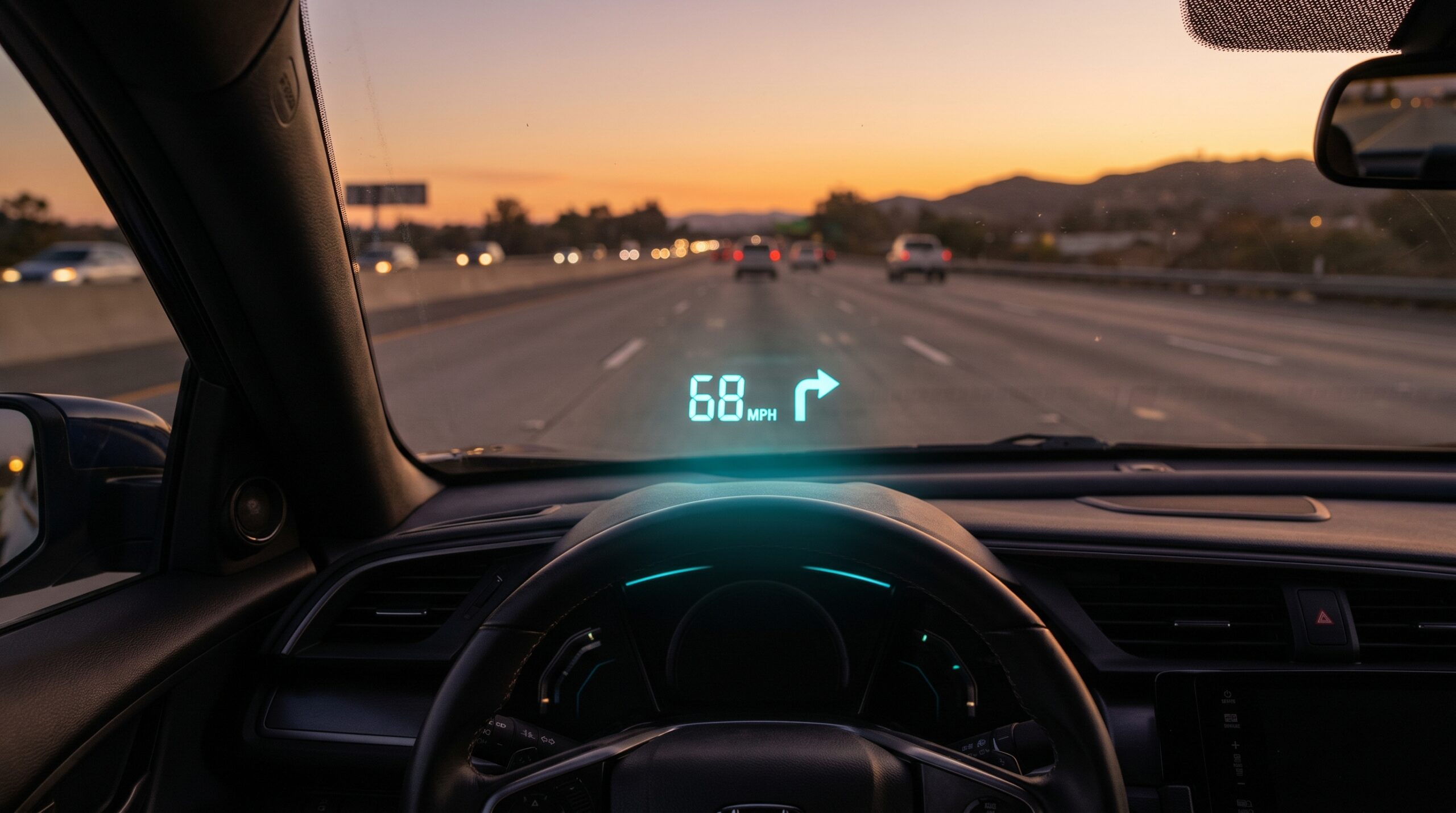
If you drive a Honda Civic, you already know it’s one of the most practical cars on the road. But there’s one upgrade that can make every commute safer and more informative: a head-up display for your Honda Civic. Instead of glancing down at your speedometer, your speed — and much more — floats right in your line of sight. This guide covers the best HUD options for every Civic generation and budget.
HUDScreen participates in the Amazon Associates program. We may earn a commission on qualifying purchases at no extra cost to you.
Which Head-Up Display Works with Honda Civic?
Every Honda Civic built for the US market since the 1996 model year comes with a standard OBD2 port — it’s located beneath the driver-side dashboard, just left of the steering column, and takes about five seconds to find. That port lets an OBD2 head-up display read real-time engine data and project it onto your windshield.
Older Civics (pre-1996, EG/EF generations) lack the OBD2 standard, but a GPS-based HUD works in any vehicle regardless of age — it reads speed from satellites rather than the car’s computer.
| Civic Generation | Years | Best HUD Tier | Why |
|---|---|---|---|
| EG / EF / older | Pre-1996 | KUOWEIHUD K1 | No OBD2 port; GPS works universally |
| 6th–7th gen (EK, EP) | 1996–2005 | KUOWEIHUD K1 | OBD2 port present, but the wiiyii P6’s listing covers 2007+ cars only |
| 8th–9th gen (FA, FB) | 2006–2015 | wiiyii P6 (2007+) or KUOWEIHUD K1 | Engine data on 2007+ gas models; KUOWEIHUD K1 for a 2006 |
| 10th–11th gen (FC, FK, FE) | 2016–2025 | wiiyii P6 or VIVIHUD V5 | Modern OBD2; nav HUD excellent for commuters |
KUOWEIHUD K1: The Best Head-Up Display for Older Civics and Budget Buyers
The KUOWEIHUD K1 is our entry-level pick — and it’s the right choice for any Civic regardless of age. It gets your speed from GPS satellites, so there’s no wiring into the engine computer. You plug it into a USB port or 12V adapter, set it on the dash, and it shows your true GPS speed on a small projected display.
Why GPS speed matters: your Civic’s factory speedometer, like most, is calibrated to read slightly high (in Europe and the UK that’s a legal requirement), so it usually shows a little more than your true speed. The KUOWEIHUD K1 shows your actual ground speed, which is particularly handy for highway driving where speed cameras are stricter. You can verify yours with our free Speedometer Accuracy Calculator.
wiiyii P6: The Best Head-Up Display for 2007+ Civics
If your Civic is a 2007 or newer model, the wiiyii P6 is the sweet spot for daily-driver data. It plugs directly into the OBD2 port and pulls live data from the engine computer: speed (from the ECU, not GPS), RPM, coolant temperature, battery voltage, and instantaneous fuel economy.
For daily commuters and Civic owners who want more than just speed, this is the upgrade that makes every drive more informed. Spot the moment your coolant starts running warm before it becomes a problem. See your exact fuel economy shift as you change driving habits — then estimate your annual savings with our Fuel Savings Calculator.
Its compact dash-mounted LCD gauge adjusts brightness automatically, so it stays readable by day and never distracts at night.
VIVIHUD V5: Best Head-Up Display for 10th and 11th Gen Civic Commuters
If you own a 2016–2025 Civic and spend significant time navigating unfamiliar routes, the VIVIHUD V5 adds a dimension the other tiers can not: turn-by-turn navigation mirrored from your phone, on its own anti-glare lens. You get GPS speed plus live directions through wireless CarPlay or Android Auto (no engine data) — all without taking your eyes off the road.
The premium optics deliver high-brightness output that stays visible even under a midday summer sun, which is the single biggest complaint with budget HUDs. For Civic owners who also use their car for rideshare, delivery, or heavy commuting, the VIVIHUD V5 is the tool that genuinely changes how a drive feels.
Where Is the OBD2 Port in a Honda Civic?
In all 1996–2025 Civic generations, the OBD2 port is located beneath the driver-side dashboard, usually directly under the steering column or slightly to the left. It’s a 16-pin trapezoidal connector — you can feel it without looking. Plug in the OBD2 HUD connector, route the cable along the dashboard edge (tucked under the trim), and your HUD is drawing power and data in under two minutes.
If you’re not sure which type of HUD suits your Civic’s year, model trim, and navigation needs, our HUD Compatibility Checker gives you a personalized recommendation in three questions.
Frequently Asked Questions
Will an OBD2 head-up display void my Honda Civic’s warranty?
No — under the Magnuson-Moss Warranty Act, plugging a passive reading device into the OBD2 port does not void your manufacturer warranty unless Honda can prove the device caused the specific failure. OBD2 HUDs only read data; they do not write or alter any vehicle settings.
Does a HUD work with a Honda Civic Sport or Si?
Yes, all Civic trims including Sport, EX, LX, Sport Touring, Si, and Type R use the same standard OBD2 port. The wiiyii P6 works across all trims of 2007+ gas Civics (its manufacturer lists hybrids as incompatible, so skip it for the Civic Hybrid); the GPS-based KUOWEIHUD K1 and VIVIHUD V5 work in any Civic.
Can I use a head-up display if my Civic has a factory digital speedometer?
Absolutely. Many 10th and 11th gen Civics have a partially digital gauge cluster, but no factory HUD. An aftermarket HUD adds the windshield projection layer, giving you eyes-up speed and data without modifying your interior.
Does a GPS head-up display work in a Honda Civic rental?
Yes. The KUOWEIHUD K1 requires no OBD2 connection — it plugs into any USB port and sits on the dash with a non-permanent mount, making it perfect for rental Civics. See our guide: Can You Use a HUD in a Rental Car?
How accurate is GPS speed vs the Civic’s speedometer?
GPS speed is typically accurate to within 1 mph under open sky, which is usually more accurate than your factory gauge. Honda’s speedometers, like most, read slightly high for regulatory compliance. Use our Speedometer Accuracy Calculator to find the exact gap on your Civic.
Does the Honda Civic have a factory HUD?
No Honda Civic generation ships with a factory HUD. A Honda Civic HUD is added aftermarket: the wiiyii P6 for 2007+ Civics (reads speed, RPM and coolant temp via the OBD2 port) or the KUOWEIHUD K1 for any Civic regardless of year.
What is the best Honda Civic HUD?
For a 2007 or newer Civic the wiiyii P6 is the best Civic HUD — it shows live engine data and GPS-verified speed on a compact dash-mounted gauge with no wiring. Older Civics and budget buyers are better served by the universal KUOWEIHUD K1.
Find the Right Head-Up Display for Your Car
Not sure which tier fits? Try our free HUD Compatibility Checker — answer three quick questions and get a personalized recommendation.
- KUOWEIHUD K1 — Universal fit, any Civic any year, plug-and-play GPS speed display.
- wiiyii P6 — 2007+ Civics, live engine data (speed, RPM, temperature, voltage).
- VIVIHUD V5 — Premium: wireless CarPlay/Android Auto navigation + GPS speed, any Civic.
Our HUD picks
Three plug-in head-up displays, by what you want on the windshield.
 KUOWEIHUD K1 GPS Head-Up Speed DisplayGPS speed with no OBD2 port needed: fits EVs, hybrids and older cars.Check Price →
 wiiyii P6 OBD2 + GPS Head-Up DisplaySpeed, RPM and temperature from the OBD2 port on compatible 2007+ gas cars.Check Price →
 VIVIHUD HUD-V5 Wireless CarPlay & Android Auto HUDWireless CarPlay and Android Auto directions plus GPS speed.Check Price →
As an Amazon Associate, HUDScreen earns from qualifying purchases. Price, shipping and returns are set by Amazon and the seller.