

Searching for an Apple CarPlay heads-up display or an Android Auto head-up display usually means one thing: you want your phone’s navigation in your line of sight instead of on a screen down by the centre console. Here is what actually exists, what it can and cannot do, and how to choose.
The honest answer about CarPlay HUDs
Apple CarPlay and Android Auto are infotainment standards. Neither Apple nor Google publishes an official way to send the CarPlay or Android Auto interface to an aftermarket head-up display. So there is no aftermarket unit that mirrors the full CarPlay screen onto your windshield — if a product claims that, treat it with suspicion.
What does work is a HUD that connects to your phone directly over Bluetooth and displays the navigation instruction layer: next turn, distance to turn, current road, speed and ETA. In day-to-day driving that is the part of CarPlay you actually need in your sight line.
How a phone-connected HUD works
- The HUD pairs with your phone over Bluetooth.
- A companion app reads navigation prompts (Google Maps, Waze, Apple Maps) as they fire.
- The HUD projects the turn arrow, distance and speed onto the windshield.
- Your phone keeps running CarPlay or Android Auto on the head unit as normal — the HUD works alongside it, not instead of it.
What to check before buying a phone-connected HUD
- Wired vs wireless connection. Wireless pairing is convenient but drains phone battery faster; wired is stable and charges the phone. Cheaper units are wired-only.
- True mirroring vs a companion app. Some units mirror your phone’s nav apps; others require the maker’s own app, which can lag behind Google or Apple map quality.
- Daylight brightness. Map detail needs more brightness than a speed readout. Look for auto-brightness and a high-nit panel or you will lose the display at noon.
- Vehicle data. The better units combine phone navigation with OBD2 engine data, so RPM, temperature and fault alerts share the same view.
Our pick for phone navigation: VIVIHUD V5
The VIVIHUD V5 is the option in our range built for this. It mirrors turn-by-turn navigation from your phone through wireless CarPlay or Android Auto onto its own anti-glare lens, alongside GPS speed. It is based on the VIVIHUD V5 Ultra and reads no engine data — its OBD cable only supplies power. It is the closest practical equivalent to a “CarPlay HUD” for a car that has no factory head-up display.
Factory HUDs that do integrate with CarPlay
Some manufacturers pipe navigation into their own factory HUD. On many BMW models with the optional head-up display, and on Mazda vehicles with Active Driving Display, the factory HUD can show turn arrows sourced from the car’s built-in navigation — and on newer models, from CarPlay or Android Auto as well. This is a factory feature: it cannot be added to a car that never had a HUD without an OEM retrofit, which is far more involved than fitting an aftermarket unit.
Wireless vs wired
Phone-connected HUDs pair wirelessly over Bluetooth for the data link, but still need 12 V or USB power — there is no fully wireless HUD, because projection needs continuous power. “Wireless head-up display” in product listings almost always refers to the phone connection, not the power supply.
If you only need speed
If navigation already lives on your phone mount or head unit and you simply want your speed up in your eyeline, a GPS HUD is cheaper and simpler, or an OBD2 HUD if you also want engine data. Compare all three approaches in the HUD display buyer’s guide.
As an Amazon Associate, HUDScreen earns from qualifying purchases. Pricing and availability are shown on Amazon and may change.
Our HUD picks
Three plug-in head-up displays, by what you want on the windshield.
 KUOWEIHUD K1 GPS Head-Up Speed DisplayGPS speed with no OBD2 port needed: fits EVs, hybrids and older cars.Check Price →
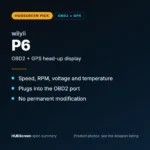 wiiyii P6 OBD2 + GPS Head-Up DisplaySpeed, RPM and temperature from the OBD2 port on compatible 2007+ gas cars.Check Price →
 VIVIHUD HUD-V5 Wireless CarPlay & Android Auto HUDWireless CarPlay and Android Auto directions plus GPS speed.Check Price →
As an Amazon Associate, HUDScreen earns from qualifying purchases. Price, shipping and returns are set by Amazon and the seller.
Frequently asked questions
Can you get a head-up display for Apple CarPlay?
Not in the sense of mirroring the whole CarPlay screen — Apple provides no official way to send CarPlay to an aftermarket HUD. What works is a Bluetooth-connected HUD that reads navigation prompts from your phone and projects turn-by-turn directions, speed and ETA onto the windshield while CarPlay continues running on your head unit.
Does Android Auto work with a heads-up display?
The same applies as with CarPlay: Android Auto itself is not sent to aftermarket HUDs. A phone-connected HUD pairs over Bluetooth and displays the navigation layer from Google Maps or Waze. Some factory HUDs (Mazda, BMW and others) can display Android Auto navigation because the integration is built into the car.
Is there a wireless head-up display?
Wireless refers to the phone connection, not power. Every HUD needs continuous 12 V or USB power to run its projector, so there is no truly wireless unit. The data link to your phone is wireless over Bluetooth.