
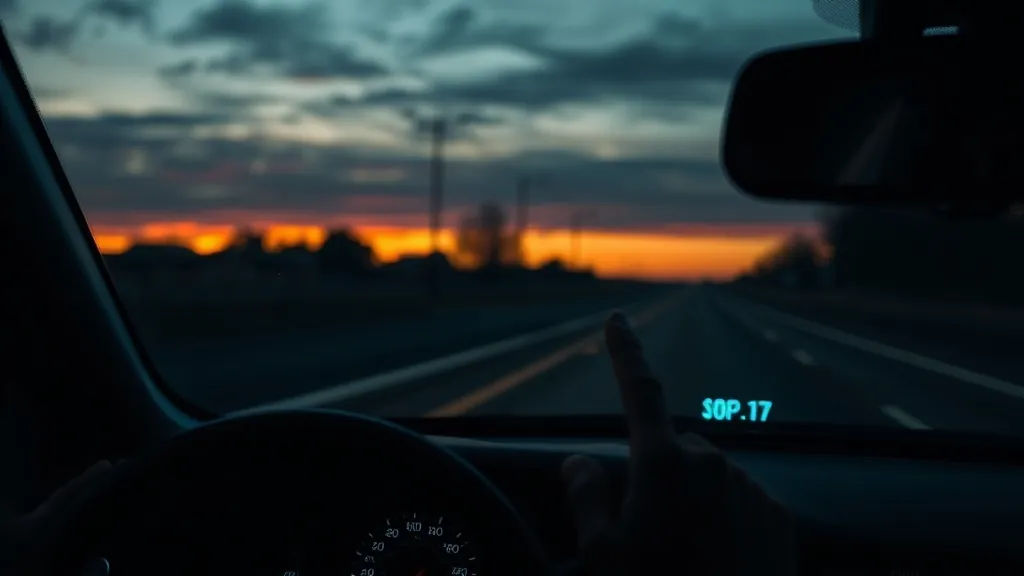
A ghostly double image or washed-out reflection on a windshield HUD is usually caused by one of five fixable issues. Work through them in order and you will almost certainly resolve the problem without returning the unit.
Factory HUD gone blurry right after new glass was installed? That is a different problem — see HUD blurry after a windshield replacement.
Fix 1: Apply (or reapply) the anti-reflection film
This is the most common cause of a double or ghost image. Every windshield-projection HUD includes an anti-glare film that goes on the dashboard below the projection zone. Without it, the HUD image reflects off both the inner and outer surfaces of the glass, creating a double image. If the film is applied but bubbled, peel it off, clean the surface, and reapply with a plastic card to remove all air.
Fix 2: Adjust the display angle
Move the HUD unit forward or backward until only one clean reflection is visible. The optimal angle varies by car (windshield rake angle varies significantly between models). Most units have a small adjustment screw or tilting base — small changes in angle make a large difference to the projection quality.
Fix 3: Reduce brightness in the daytime
A paradox: a HUD set too bright can create visible reflection artefacts on the windshield in addition to the primary image, especially in raking morning or evening sunlight. If you see a halo or stray reflections, reduce brightness by 20–30 % and check if the ghost disappears.
Fix 4: Avoid polarised sunglasses
Polarised lenses can make some HUD types significantly dimmer or invisible. The polarisation angle of some windshield coatings interacts with the HUD light source. If the display seems dim or washed out while wearing polarised sunglasses, switch to non-polarised lenses for HUD visibility.
Fix 5: Reposition on the dashboard
Moving the unit left or right, or forward by 2–3 cm, can eliminate a specific glare angle. Different windshield curvatures respond to unit position differently. A few minutes of experimentation usually finds the sweet spot with a clean single image.
If none of these resolve the issue, verify your car’s windshield is not heavily tinted or coated — some aftermarket UV or thermal coatings interfere with certain projection frequencies. Use the HUD Compatibility Checker for your make and model.
As an Amazon Associate, HUDScreen earns from qualifying purchases. Pricing and availability are shown on Amazon and may change.
Repair not worth it? Add a plug-in HUD
If fixing a factory head-up display costs more than it is worth, a plug-in HUD puts your speed back in your line of sight. Check the fit notes before you order.
 KUOWEIHUD K1 GPS Head-Up Speed DisplayGPS speed with no OBD2 port needed: fits EVs, hybrids and older cars.Check Price →
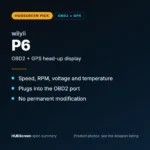 wiiyii P6 OBD2 + GPS Head-Up DisplaySpeed, RPM and temperature from the OBD2 port on compatible 2007+ gas cars.Check Price →
 VIVIHUD HUD-V5 Wireless CarPlay & Android Auto HUDWireless CarPlay and Android Auto directions plus GPS speed.Check Price →
As an Amazon Associate, HUDScreen earns from qualifying purchases. Price, shipping and returns are set by Amazon and the seller.
Frequently asked questions
Why does my head-up display show a double image?
A double image on a windshield-projection HUD almost always means the anti-reflection film is missing, incorrectly applied, or bubbled. The film reduces the secondary reflection from the outer glass surface. Apply it smoothly and ensure full contact with no air pockets.
Do polarised sunglasses affect a head-up display?
Yes. Polarised lenses can significantly reduce HUD visibility or make it appear to disappear, depending on the polarisation angle of both the lens and the windshield coating. Non-polarised sunglasses are recommended when using a windshield HUD.
Can I use a HUD on a tinted windshield?
In most cases, yes — light factory tint does not affect projection quality significantly. Heavy aftermarket tint or reflective coatings can reduce visibility and worsen ghosting. A combiner-style HUD (with its own pop-up screen) avoids windshield coating issues entirely.