

You replaced a cracked windshield, and now your factory head-up display shows a blurry, doubled or ghosting image. This is one of the most common — and most frustrating — surprises in auto glass repair, and it is almost never your HUD that broke. Here is what actually happened and how to fix it.
Why factory HUDs need a special windshield
A windshield is two layers of glass laminated around a plastic (PVB) interlayer. On HUD-equipped cars, that interlayer is wedge-shaped — slightly thicker at the top than the bottom. The wedge makes the reflections from the inner and outer glass surfaces overlap into one crisp image. Standard glass has a uniform interlayer, so the two reflections land in slightly different places: you see the speed readout twice, offset like a badly aligned projector.
What went wrong with your replacement
- Non-HUD glass was installed. The most common cause. Aftermarket windshields for your model often come in HUD and non-HUD versions, and the wrong one produces a permanent double image no recalibration can cure.
- Lower-grade aftermarket HUD glass. Even “HUD-compatible” aftermarket glass varies; optical quality below OEM spec can leave faint ghosting, waviness or blur.
- Installation issues. A windshield seated at a slightly wrong angle or with stressed glass can distort the projection zone even with correct glass.
How to get it fixed
- Confirm the part. Ask the glass shop for the exact part number installed and whether it is HUD-rated for your VIN. If it is not, the fix is a re-replacement with the correct glass — at the shop’s expense if you specified your car has a HUD.
- Push your insurer for OEM or OEM-equivalent HUD glass. Many policies default to cheapest aftermarket glass. On HUD cars, document the double image and request HUD-spec glass; most insurers approve when the functional defect is shown.
- Check HUD settings before re-replacing. Some vehicles let you adjust HUD height, brightness and rotation — a mild misalignment can improve. A true double image from non-wedge glass will not fully disappear, but confirm before another replacement.
The pragmatic fallback: an aftermarket HUD
If a second replacement is not in the cards, a dash-mounted aftermarket HUD sidesteps the problem entirely: it projects onto its own combiner screen or a small film zone rather than relying on the wedge interlayer. An OBD2 unit restores speed, RPM and engine data eyes-up; a GPS unit restores speed in any car. Neither depends on HUD-spec glass.
Related reading: fixing HUD glare and ghosting and HUD troubleshooting guide.
As an Amazon Associate, HUDScreen earns from qualifying purchases. Pricing and availability are shown on Amazon and may change.
Repair not worth it? Add a plug-in HUD
If fixing a factory head-up display costs more than it is worth, a plug-in HUD puts your speed back in your line of sight. Check the fit notes before you order.
 KUOWEIHUD K1 GPS Head-Up Speed DisplayGPS speed with no OBD2 port needed: fits EVs, hybrids and older cars.Check Price →
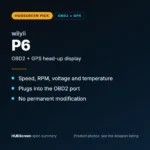 wiiyii P6 OBD2 + GPS Head-Up DisplaySpeed, RPM and temperature from the OBD2 port on compatible 2007+ gas cars.Check Price →
 VIVIHUD HUD-V5 Wireless CarPlay & Android Auto HUDWireless CarPlay and Android Auto directions plus GPS speed.Check Price →
As an Amazon Associate, HUDScreen earns from qualifying purchases. Price, shipping and returns are set by Amazon and the seller.
Frequently asked questions
Do I need a special windshield for a factory HUD?
Yes. HUD-equipped cars use a windshield with a wedge-shaped PVB interlayer that merges the inner and outer glass reflections into one image. Replace it with standard glass and the HUD shows a permanent double image. Always specify HUD glass when booking a windshield replacement.
Will insurance cover HUD-compatible glass?
Usually, if you push. Many policies default to the cheapest aftermarket glass, but a documented double image is a functional defect. Request OEM or HUD-rated glass explicitly, provide photos, and cite that the vehicle is HUD-equipped; most insurers approve the correct part.
Can a blurry HUD after windshield replacement be recalibrated away?
Not if the wrong glass was installed. HUD settings can fine-tune height and rotation, but no calibration merges the two reflections that non-wedge glass creates. The fix is the correct HUD-spec windshield – or a dash-mounted aftermarket HUD that does not depend on the glass.