
Quick answer: the MINI head-up display shows its image on a small pop-up screen that rises from the top of the dashboard; it doesn’t use the windshield. If the screen doesn’t come up, the HUD is most likely switched off in the menu (or with the button on early cars). If the screen is up but the image is faint, check brightness, the instrument lighting dimmer, polarized sunglasses and dirt on the screen. Settings are saved per driver profile and key, so another driver’s settings can make it look broken. A screen that grinds, sticks part-way or won’t move needs a dealer.
This guide is for the factory MINI HUD. For a plug-in aftermarket unit, see the aftermarket HUD troubleshooting guide.
How the MINI HUD works
MINI introduced its HUD on the 2014 Hardtop (F56). Supplier Bosch describes it as a “combiner” HUD that projects onto “a small special plastic screen” rather than the windshield, and the screen “fully retracts” when the system is off. Every MINI owner’s manual since then, up to the 2025 Cooper and Countryman, says the same: switching the HUD on extends the projection screen and switching it off retracts it. It has been offered on the Hardtop 2 and 4 Door (F56/F55), Convertible (F57), Clubman (F54), Countryman (F60) and the 2025 Cooper (F65/F66), Convertible (F67) and Countryman (U25), usually as an option or with higher trims.
(Sources: Bosch; 2024 MINI Hardtop owner’s manual; 2025 MINI Cooper owner’s manual.)
Screen doesn’t come up: turn the HUD on
- Early Hardtop (about 2014–2017): press the HUD button in the centre-console switch group near the start/stop switch.
- Later F-series (2018–2024 Clubman, Countryman, Hardtop, Convertible): My MINI > System settings > Displays > Head-Up Display > Head-Up Display.
- 2025 and newer Cooper, Convertible and Countryman: Apps menu > Vehicle > Displays > Head-up display > Head-up display.
The setting is stored for the driver profile in use, so check that your own profile or key is active.
Screen is up but the image is faint or missing
MINI’s manuals say visibility is affected by seat position, objects or dirt on the HUD, sunglasses with certain polarization filters, wet roads and unfavourable light. Work through these:
- Brightness: it adjusts automatically, but you can raise the base setting under Head-Up Display > Brightness. With the low beams on, the instrument lighting dimmer also controls HUD brightness, so turn it up.
- Height and rotation: adjust Height and, for a tilted image, Rotation in the same menu. HUD height is also saved with the seat memory buttons, so recalling another driver’s memory moves it.
- Polarized sunglasses: they can make the image almost disappear. Try without them.
- Dirty screen: clean it as described below.
- No navigation arrows on a John Cooper Works: the manual says that when sport displays are switched on, navigation content isn’t shown on the HUD. Switch them off under Displayed information.
Screen grinds, sticks part-way or won’t move
The pop-up screen is moved by a small motor. MINI’s manuals warn that the HUD has sensitive components and say: “Do not move the moving parts manually” and don’t place objects on it or attach anything to it. Owners commonly report a grinding noise or a screen that stops part-way on older units, which dealers trace to the HUD motor or gears and fix by replacing the HUD unit. If yours makes noise or won’t extend fully, don’t force it; have a dealer inspect it. Also keep the screen’s path clear: the manual warns that fingers can be caught as it moves.
We found no MINI HUD recall and no MINI-specific HUD service bulletin. Check your car’s VIN for open recalls at nhtsa.gov/recalls.
Cleaning the HUD screen
- 2014–2024 MINIs: use a clean, dry, antistatic microfibre cloth. For stubborn marks, MINI says to dampen the cloth with (ethyl) alcohol. Switch the HUD on so the screen is extended first.
- 2025 and newer: a damp microfibre cloth with ordinary household dish soap.
- Avoid pressing hard and never use anything abrasive.
Does a windshield replacement affect the MINI HUD?
Not the HUD image itself: because it projects onto its own screen, the MINI HUD doesn’t need a special HUD windshield, and we found no windshield-related HUD caution in MINI’s manuals. The camera near the rear-view mirror (used for speed-limit information and driver assistance) is a separate matter, so if speed-limit symbols disappear after a glass replacement, have the camera checked.
No factory HUD in your MINI? A plug-in head-up display is an alternative; see factory vs aftermarket HUD.
Repair not worth it? Add a plug-in HUD
If fixing a factory head-up display costs more than it is worth, a plug-in HUD puts your speed back in your line of sight. Check the fit notes before you order.
 KUOWEIHUD K1 GPS Head-Up Speed DisplayGPS speed with no OBD2 port needed: fits EVs, hybrids and older cars.Check Price →
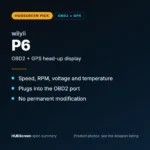 wiiyii P6 OBD2 + GPS Head-Up DisplaySpeed, RPM and temperature from the OBD2 port on compatible 2007+ gas cars.Check Price →
 VIVIHUD HUD-V5 Wireless CarPlay & Android Auto HUDWireless CarPlay and Android Auto directions plus GPS speed.Check Price →
As an Amazon Associate, HUDScreen earns from qualifying purchases. Price, shipping and returns are set by Amazon and the seller.
Frequently asked questions
Why won’t my MINI head-up display come up?
The screen extends only when the HUD is switched on. Turn it on in the menu (My MINI > System settings > Displays > Head-Up Display on 2018–2024 models, or Apps menu > Vehicle > Displays > Head-up display on 2025+ models; early Hardtops have a button). If it still won’t move, or grinds, see a dealer.
How do I turn on the head-up display in my MINI Cooper?
2025 and newer: Apps menu > Vehicle > Displays > Head-up display > Head-up display. 2018–2024: My MINI > System settings > Displays > Head-Up Display > Head-Up Display. Early F56 Hardtops: press the HUD button near the start/stop switch.
Why is my MINI HUD so faint?
Raise the brightness in the Head-Up Display menu, turn up the instrument lighting dimmer if the headlights are on, take off polarized sunglasses, and clean the screen with a microfibre cloth.
Does the MINI HUD project onto the windshield?
No. MINI’s HUD projects onto its own small pop-up screen on the dashboard, which retracts when the HUD is switched off. That’s why it doesn’t need a special HUD windshield.