
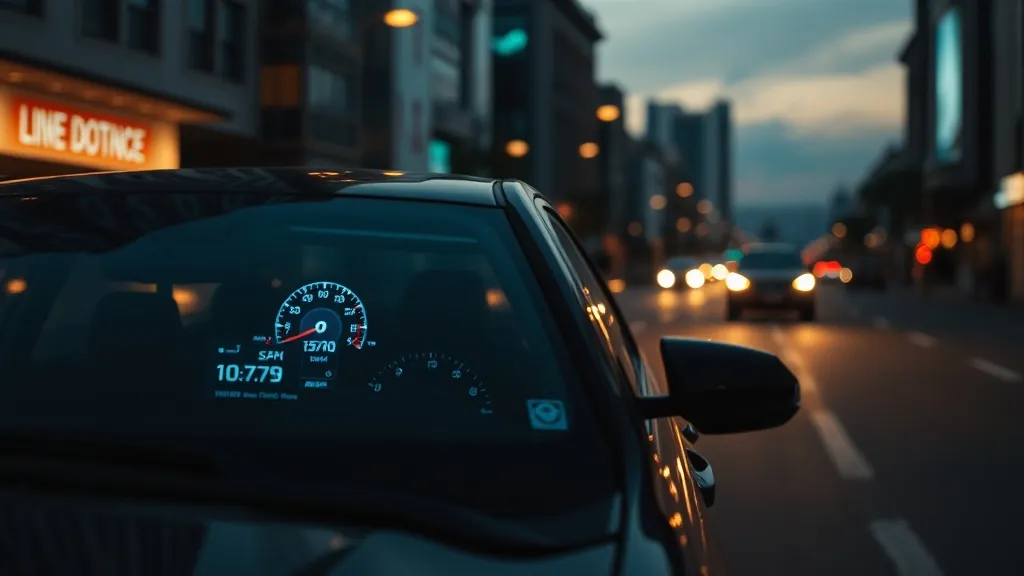
Quick answer: Toyota and Lexus manuals say that once the head-up display is disabled, it stays disabled after you restart the car, so a HUD that “stopped working” is usually just switched off. Turn it back on with the HUD switch or the multi-information display (gear icon > HUD). Also check: the car is fully ON (not accessory mode), brightness isn’t turned down, you aren’t wearing polarized sunglasses, and the 12-volt battery hasn’t recently been disconnected, which resets the HUD settings.
This guide covers the factory HUD. For a plug-in aftermarket unit, see the aftermarket HUD troubleshooting guide.
The common causes, from the owner’s manuals
- It was switched off. “If the head-up display is disabled, it will remain disabled when the engine switch is turned off then back to IGNITION ON mode.”
- The car isn’t fully on. The HUD operates only with the engine (power) switch in ON, not accessory mode.
- Polarized sunglasses: “The head-up display may seem dark or hard to see when viewed through sunglasses, especially polarized sunglasses. Adjust the brightness of the head-up display or remove your sunglasses.”
- Brightness: it adjusts automatically to the surroundings, with a manual offset in the HUD settings. The 2016 Prius also dims the HUD automatically when stopped and returns to normal above about 3 mph.
- Battery work: “When the 12-volt battery is disconnected: The customize settings of the head-up display will be reset.” After a battery change or jump start, check that it’s enabled and reset position and brightness.
- Something on the projector: Toyota warns not to place anything on, or put stickers on, the HUD projector opening in the dashboard, and to keep drinks away from it.
(Sources: e.g. the 2023 Camry, 2023 Tundra and 2023 Lexus RX owner’s manuals; official copies are at toyota.com/owners and lexus.com/drivers.)
How to turn it on, by model
Toyota models with a multi-information display
- Camry (2018–2024): use the steering-wheel meter control switches to select the settings (gear) icon on the multi-information display, then the HUD icon. Press OK to enable or disable it; press and hold OK for brightness/position, content and display angle.
- Highlander: settings icon > HUD, with HUD Brightness/Position, HUD Driving Support and HUD Rotation (for a tilted image).
- Tundra, Sequoia, RAV4 Prime: settings icon > HUD Main; press OK to switch on or off, press and hold for brightness, vertical position, content and angle.
- Sienna: Vehicle Settings (or the settings icon on the 7-inch display) > HUD Main; OK toggles on and off.
- Tacoma (2024+): Settings on the multi-information display: enable/disable, brightness and vertical position, head-up display type (Standard, Full, Minimum) and display angle.
- Prius (2016–2022), Mirai: press the HUD switch; on the Prius it steps through speed, speed plus hybrid indicator, and off. Position and brightness are set with the meter control switches.
Lexus
- RX (2023+), NX (2022+), GX (2024+): on the centre touchscreen select the settings icon > Vehicle customize > Head up display: display on/off, display mode, height, brightness and angle. These can also be assigned to a steering-wheel favourite switch.
- ES, UX, LS, RX (2016–2022), LX: press the HUD (head-up display) switch to turn it on or off; brightness, position, content and (LS) angle are in the multi-information display settings.
- GS, NX (to 2021), RX (2010–2015): physical HUD buttons. Watch out: pressing the HUD button cycles OFF > ON (mph) > ON (km/h) > OFF. If your HUD suddenly shows km/h, or turned off, press it until it’s off and then once more.
GR Supra
The Supra uses a BMW-based HUD: My vehicle > System settings > Displays > Head-up display, with on/off, Brightness, Height and Rotation. With the low beams on, the instrument lighting also dims the HUD.
Lesser-known causes
- Driver memory and recognition: HUD position is stored with the driving position memory on many models, and the 2023+ Lexus RX recalls HUD settings for the driver it identifies by key, phone or face. A different key or a recalled memory position can move or change the HUD.
- 2012 Prius speed threshold: the speedometer can be set to appear only above a chosen speed, so it looks blank below it. Press and hold the HUD switch while stopped to change it.
- No tachometer on a 2023+ Lexus RX or NX HUD: it appears only when the HUD is set to show the maximum content and lane assist and cruise control are off.
- Route guidance on the 2016 Prius shows on either the HUD or the multi-information display, not both.
- Only vertical position and angle can be adjusted, not left-right.
Recalls and bulletins
We found no Toyota or Lexus recall or service bulletin specifically about the HUD (NHTSA data checked October 2026). If the whole instrument display is blank or missing warnings, these instrument-cluster recalls may apply: 23V-111 (2022–2023 Tundra), 25V-595 (certain 2023–2025 Toyota and Lexus models including Highlander, RAV4, Crown, Grand Highlander, Tacoma, 2025 Camry, Lexus TX, LS and RX) and 26V-341. Check your VIN at nhtsa.gov/recalls. If the HUD stays blank with every setting correct, see a dealer.
Windshield replacement and double images
Toyota explains that genuine HUD windshields “have a wedge-shaped inner film with varying degrees of thickness between the layers of glass designed to clearly display vehicle information without a double image” (Toyota Collision Pros). Toyota Canada adds that other windshields may not account for the HUD and cameras. After a replacement:
- ask for the HUD version of the windshield (genuine or OE-spec);
- have the front camera recalibrated, which Toyota and Lexus manuals require;
- if the image is tilted, use the display angle or rotation setting, and readjust height.
Owners commonly report a double, blurry or tilted HUD after a non-HUD replacement. More in our HUD windshield replacement guide.
Which Toyotas and Lexuses have a HUD?
Toyota (US, usually upper grades): Prius (3rd and 4th generations; not the 2023+ model), Camry (2018 on), Avalon, Highlander, Grand Highlander, Sienna, Venza, RAV4 Prime, 2026 RAV4 (hybrid Limited and PHEV XSE), Mirai, Tundra, Sequoia, Tacoma (2024+), Land Cruiser (2024+), 4Runner Platinum (2025+), 2025 Crown Platinum and GR Supra. The 2019–2025 gas and hybrid RAV4, Corolla Cross and bZ4X don’t have one in the US. Lexus: GS, RX, NX, ES, LS, LC, UX, LX, GX (2024+), RZ and TX. See our 2026 factory HUD database and the Camry HUD guide; no factory HUD? See factory vs aftermarket HUD.
Repair not worth it? Add a plug-in HUD
If fixing a factory head-up display costs more than it is worth, a plug-in HUD puts your speed back in your line of sight. Check the fit notes before you order.
 KUOWEIHUD K1 GPS Head-Up Speed DisplayGPS speed with no OBD2 port needed: fits EVs, hybrids and older cars.Check Price →
 wiiyii P6 OBD2 + GPS Head-Up DisplaySpeed, RPM and temperature from the OBD2 port on compatible 2007+ gas cars.Check Price →
 VIVIHUD HUD-V5 Wireless CarPlay & Android Auto HUDWireless CarPlay and Android Auto directions plus GPS speed.Check Price →
As an Amazon Associate, HUDScreen earns from qualifying purchases. Price, shipping and returns are set by Amazon and the seller.
Frequently asked questions
Why did my Toyota heads-up display stop working?
Most often it was disabled. Toyota’s manuals say a disabled HUD stays disabled after a restart. Turn it on via the HUD switch or the multi-information display (settings icon > HUD or HUD Main, then OK). Also check that the car is fully ON, brightness, polarized sunglasses, and whether the 12-volt battery was recently disconnected, which resets the HUD settings.
How do I turn on the heads-up display in my Camry?
Use the steering-wheel arrows to select the settings (gear) icon on the multi-information display, then the HUD icon, and press OK. Press and hold OK for brightness, position, content and angle.
Why is my Lexus HUD showing km/h?
On models with a physical HUD button (GS, older NX and RX), each press cycles off, on in mph, on in km/h, and off. Press it until the HUD turns off, then press once for mph.
Does the RAV4 have a heads-up display?
In the US, the 2019–2025 gas and hybrid RAV4 don’t; the RAV4 Prime plug-in does, on equipped grades. The 2026 RAV4 offers a HUD on the hybrid Limited and PHEV XSE.
Why is my Toyota HUD double after a windshield replacement?
HUD windshields have a wedge-shaped inner film that prevents a double image. A non-HUD replacement causes ghosting. Ask for the HUD version of the windshield and have the front camera recalibrated.