
Quick answer: a Mercedes-Benz head-up display that seems to have stopped working is most often switched off, set too dim, moved out of view by another driver’s seat-memory preset, or hidden by polarized sunglasses. If the instrument cluster shows “Head-up display currently unavailable”, Mercedes’ own fix is to switch the car off and on again; “Head-up display inoperative” means an internal fault that needs a workshop. Several known issues (stripes, flicker, intermittent failure) have dealer fixes.
This guide is for the factory HUD (Mercedes option code 463). For plug-in aftermarket units, see the aftermarket HUD troubleshooting guide.
Quick checks first
- Is the HUD switched on? It has its own on/off setting (see the controls for your generation below).
- Brightness: the HUD adjusts to ambient light automatically, but you can also set it manually; a low setting can make it disappear in daylight.
- Position: the image height is saved with the seat memory buttons. If someone else’s memory preset was recalled, the image may sit above or below your view. Set your seat, then the HUD position, and save it to your memory button.
- Sunglasses: polarized lenses are on Mercedes’ list of things that limit HUD visibility.
- Nothing on the HUD cover on top of the dashboard, and the windscreen is clean.
- Restart the car if a HUD message appears.
Mercedes’ owner’s manuals list these visibility limits: seat position, image position, light conditions, wet roads, objects on the display cover and polarized sunglasses. (Source: e.g. the 2022 C-Class (W206) owner’s manual.)
How to turn on and adjust the Mercedes HUD
C-Class W205 (about 2015–2018, COMAND era)
- On/off: press the HUD button on the control panel on the lower left of the dashboard (next to the light switch).
- Settings: using the steering-wheel buttons, open Settings > Head-up Display in the instrument cluster, then choose Position, Brightness or Display Content. Position and brightness each have levels from −5 to +5.
(Source: 2017 C-Class operator’s manual.) The 2017–2020 E-Class (W213) also has a HUD button next to the light switch, with settings adjusted through the left-hand Touch Control on the steering wheel.
First-generation MBUX (A-Class, CLA, GLC 2020–2022, GLE/GLS and others, about 2019–2022)
- In the instrument cluster (on-board computer) menu, select HEAD-UP DISPLAY (or HUD), then Position, Brightness or Displays / Display content.
- Use the left-hand Touch Control on the steering wheel: swipe up/down for position, left/right for brightness. If the HUD is off, pressing the Touch Control on the HUD menu item switches it on.
- On the GLC you can also switch it on from the touchscreen: Home > Settings > Quick access > HUD.
(Sources: A-Class MBUX manual, GLC X253 MBUX manual.)
Second-generation MBUX (C-Class W206, S-Class W223, GLC X254, SL, about 2022 on)
- Press the left main-menu button on the steering wheel, then swipe up on the left-hand Touch Control to open the HUD menu bar.
- Press to switch it on. To switch it off, swipe up, select Head-up display and press.
- For position and brightness, select Settings on the HUD menu bar: swipe up/down for position, left/right for brightness. Changes save automatically.
- Swipe left/right on the HUD menu bar to change what it shows (for example a minimal view or navigation).
Menu wording on the newest E-Class (W214) and later systems may differ; check the vehicle’s digital owner’s manual.
What the HUD warning messages mean
| Message | Mercedes’ explanation | What to do |
|---|---|---|
| Head-up display currently unavailable | Temporarily unavailable, for example due to a power-supply malfunction or signal interference | When safe, switch the vehicle off and on again. If it stays, see a qualified workshop |
| Head-up display inoperative | Internal error in the HUD | See a qualified specialist workshop |
| Head-up display Brightness currently reduced | Dirt on the windscreen in the camera’s field of view, or faulty exterior brightness signals | Run the wipers and clean the windscreen, restart; workshop if it persists |
Source: second-generation MBUX owner’s manuals (W206, W223, X254).
Problem by problem
- Washed out in bright sun: Mercedes says sections can appear washed out in extreme sunlight. Switch the HUD off and on again.
- Too faint with sunglasses: polarized lenses block much of the reflected light. Non-polarized sunglasses work better. More in HUD glare and sunglasses.
- Image in the wrong place after someone else drove: recall your seat-memory preset, or reset the position and save it.
- Double or ghost image: almost always the windscreen; see the windscreen section below.
- Vertical stripes, lines, flicker or intermittent failure: known issues on specific models with dealer fixes (next section).
- Dusty cover: Mercedes says to clean the HUD cover with a soft, non-static, lint-free cloth and no cleaning agents.
Known Mercedes bulletins
These are dealer service documents filed with NHTSA. We found no HUD-specific safety recall.
- LI54.30-P-067674, vertical stripes in the HUD: C-Class 205, S-Class 222, E-Class 213/238, CLS 257 and AMG GT 4-Door 290 with HUD. The dealer fix is a software adjustment, not a new HUD.
- LI54.30-P-069742, lines on the display or flicker: some C-Class 205 and GLC 253. The cause is the instrument cluster signal; Mercedes says to replace the instrument cluster, not the HUD.
- LI54.30-P-071169, HUD intermittently inoperable on GLE/GLS (series 167): a “HUD nonfunctional” message may appear. The fix is a HUD software update; Mercedes says not to replace parts.
- LI54.30-P-068429, flicker in cold weather: C-Class 205 and E-Class Coupe/Cabriolet 238 built 29 Jan–11 Apr 2018. The fix is a replacement HUD.
Mention the bulletin number when you book your service visit.
Windscreen replacement and ghost images
Mercedes cars with a HUD use a special windscreen; the W205 manual says to have it replaced at a qualified specialist workshop. Mercedes’ technical magazine StarTuned notes that a non-HUD windscreen will show a double image, and that the HUD should be recalibrated after the windscreen, instrument cluster or HUD unit is replaced. Mercedes’ glass guidance also calls for the windscreen camera (driver assistance) to be calibrated. If you see a ghost image after a glass replacement, ask the installer to confirm the glass is HUD-specific and that the HUD was calibrated. (StarTuned, 2020; I-CAR.) More in our HUD windshield replacement guide.
Which Mercedes models have a factory HUD?
Mercedes has offered a HUD since about 2014. Models with documented factory HUDs include the C-Class (W205, W206), E-Class (W213, W214), S-Class (W222, W223, the latter with an augmented-reality HUD on some versions), CLS, AMG GT 4-Door, GLC (X253, X254), GLE and GLS (167), A-Class, CLA and SL. It was usually an option, so check your vehicle’s equipment list for code 463. See also the 2026 factory HUD database.
Can you add a HUD to a Mercedes that doesn’t have one? Specialists retrofit genuine Mercedes HUDs to some models, but it means a HUD windscreen, dashboard parts, wiring and coding with Mercedes diagnostics, so it is a major job. A plug-in aftermarket HUD is the simpler route; see HUD displays for Mercedes.
Repair not worth it? Add a plug-in HUD
If fixing a factory head-up display costs more than it is worth, a plug-in HUD puts your speed back in your line of sight. Check the fit notes before you order.
 KUOWEIHUD K1 GPS Head-Up Speed DisplayGPS speed with no OBD2 port needed: fits EVs, hybrids and older cars.Check Price →
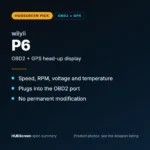 wiiyii P6 OBD2 + GPS Head-Up DisplaySpeed, RPM and temperature from the OBD2 port on compatible 2007+ gas cars.Check Price →
 VIVIHUD HUD-V5 Wireless CarPlay & Android Auto HUDWireless CarPlay and Android Auto directions plus GPS speed.Check Price →
As an Amazon Associate, HUDScreen earns from qualifying purchases. Price, shipping and returns are set by Amazon and the seller.
Frequently asked questions
Why is my Mercedes heads-up display not showing?
Check that it is switched on in the HUD menu, that brightness isn’t too low, that the position hasn’t been moved by a seat-memory preset, that you aren’t wearing polarized sunglasses and that nothing is on the HUD cover. If a “currently unavailable” message appears, switch the car off and on again.
How do I turn on the heads-up display in my Mercedes?
On a W205 C-Class, press the HUD button on the lower-left dashboard panel. On MBUX cars, open the HUD item in the instrument cluster menu with the left-hand Touch Control on the steering wheel (on newer models, swipe up on it) and press to switch it on. Some models also have Home > Settings > Quick access > HUD on the touchscreen.
What does “Head-up display inoperative” mean?
Mercedes’ manuals say it indicates an internal error in the HUD and that you should consult a qualified specialist workshop.
Why does my Mercedes HUD show a double image?
Usually because the windscreen is not a HUD windscreen, often after a replacement, or because the HUD wasn’t recalibrated afterwards. HUD glass has a special layer that lines up the two reflections.
Why does my Mercedes HUD have vertical stripes or flicker?
These are known issues on certain models. Mercedes bulletins cover vertical stripes (software adjustment), lines and flicker on some C-Class and GLC models (instrument cluster replacement) and cold-weather flicker on some 2018 builds. Ask your dealer.