
Quick answer: when a factory head-up display in a Chevrolet, GMC, Cadillac or Buick goes blank or faint, it is usually a setting rather than a broken part: brightness turned all the way down (which switches the HUD off), the image moved out of view, the HUD switched off in the infotainment settings, or polarized sunglasses. GM’s own owner’s manuals list the same five checks below. A HUD that stays blank and ignores every control is a known software issue on several models that a dealer can fix.
This guide covers GM’s built-in HUD (factory option code UV6). If you have a plug-in aftermarket unit, see the aftermarket HUD troubleshooting guide instead.
Start here: GM’s 5-point HUD checklist
Every recent GM owner’s manual has a “HUD Troubleshooting” section with the same list. If you can’t see the image with the vehicle on, check that:
- Nothing is covering the HUD lens on top of the dashboard (phones, papers, a dash mat, sunglasses).
- Brightness isn’t too dim or too bright. Holding the dim control all the way down turns the display off.
- The image height (and rotation) is set correctly. The image only moves up and down, so it can be pushed out of your view.
- You aren’t wearing polarized sunglasses.
- The windshield and HUD lens are clean.
Source: GM owner’s manuals, e.g. the 2024 Silverado 1500 manual (HUD section) and the 2026 Tahoe/Suburban manual.
How to turn the HUD on and adjust it
GM uses two kinds of controls, depending on the model and year.
Models with a HUD switch (to the left of the steering wheel)
Silverado and Sierra pickups, Corvette, Camaro and many Cadillacs have a small three-function switch on the instrument panel, left of the steering wheel:
- Position: press or lift to move the image up or down. It can’t move side to side.
- View / INFO: press to cycle the display views (for example Speed, Active Safety, Navigation and Off-Road on a Silverado; Tour, Track and Sport on a Corvette).
- Brightness: lift and hold to brighten, press and hold to dim. Keep holding to turn the display off. This is the most common reason for a “dead” HUD: lift and hold the brightness control to bring it back.
Newer models with touchscreen controls
- Tahoe, Suburban and GMC Acadia (2025–2026): on the infotainment screen go to Home > Controls > HUD to turn the HUD on or off and adjust brightness, height and rotation. GM notes this may only be available in Park.
- Cadillac Escalade and CT5 (2025): touch HUD on the touchscreen to the left of the instrument cluster; more options are on the infotainment screen, in Park.
- Chevrolet (general): Chevrolet’s support page says to tap Settings > Display > Head-Up Display on the center screen to turn it on or off. On some vehicles it must be switched on there first. (Chevrolet support)
GM recommends adjusting the seat first, then the HUD, and keeping the image dim and low in your view. Your settings are remembered, so if someone else drove the car the image may simply be set for them.
Fixing a tilted or crooked image
A slanted image is almost always a rotation setting, not a fault. GM’s bulletin 19-NA-010 tells dealers: “DO NOT replace the HUD for this concern.” Rotation is set from the instrument cluster menu (Options > Head-Up Display Rotation, using the steering-wheel thumbwheel) or, on touchscreen models, in the HUD controls. The car usually needs to be in Park. Disconnecting the battery resets rotation to its default.
Problem by problem
| What you see | Most likely cause | What to do |
|---|---|---|
| No image at all | Brightness held to off, HUD turned off in settings, or image moved out of view | Lift and hold brightness; check Settings > Display > Head-Up Display or Home > Controls > HUD; move the image down |
| Faint or hard to see | Polarized sunglasses, low brightness, dirty lens or windshield | Remove sunglasses, raise brightness, clean as below |
| Washed out or all segments lit in sunlight | Sun hitting the HUD at certain angles | GM says this is normal and temporary |
| Double or ghost image | Windshield not designed for HUD (often after a replacement) | Have the glass checked; see the windshield section |
| Tilted image | Rotation setting changed | Adjust rotation in Park |
| Blank and won’t respond to any control | Known software or communication issue on some models | Restart the vehicle; if it persists, dealer (see bulletins below) |
| Thin blue, white or grey line across the HUD | Normal on many 2023–2026 models | No fix needed (GM bulletin PIT6157C) |
| Settings reset after every restart | Under GM investigation on some 2024–2026 models | Report it to your dealer |
Why polarized sunglasses make the HUD disappear
Polarized lenses block horizontally polarized light, and the windshield reflects very little vertically polarized light, so the HUD image looks much dimmer, or almost invisible, through them. More brightness helps a little, but Chevrolet’s support page says the image “will always look much dimmer”. Non-polarized sunglasses avoid the problem. More on glare: HUD glare and sunglasses.
How GM says to clean the HUD
From the owner’s manual: clean the inside of the windshield to remove any film, then clean the HUD lens with a soft cloth sprayed with glass cleaner, wipe gently and dry it. Spray the cloth, not the lens.
Known GM bulletins for a blank or faulty HUD
These are dealer documents, not recalls (we found no HUD safety recall), but they show the issue is known and what the dealer does about it:
- 21-NA-127: 2019 Buick LaCrosse, 2019–2022 Cadillac XT4/XT5, 2020–2022 XT6, 2019–2022 Camaro. HUD blank or not responding to brightness, aim or page controls; may come back after a restart. Fix: instrument cluster reprogram and HUD fuse cycle.
- 22-NA-113: 2020–2023 Cadillac CT4 and CT5, same symptoms and fix.
- 24-NA-155: radio software update for 2023 Lyriq, Colorado and Canyon that includes fixes for a black, blank or warped HUD and settings not being remembered.
- PIT6157C: a thin line across the HUD on many 2023–2026 GM models is normal operation.
- 15276: some 2015 Escalades left the factory with the wrong windshield, causing a blurry or double HUD image; GM replaced the windshield.
- PIT6520 (2026): HUD not keeping its settings after a key cycle on some 2024–2026 Tahoe, Suburban, Yukon, Escalade, Traverse, Acadia and Enclave models, under investigation (GM Authority).
Mention the bulletin number when you book the dealer visit. Pulling fuses yourself isn’t recommended: fuse positions vary by model, and the bulletin procedure includes reprogramming.
Windshield replacement and ghost images
On a GM HUD vehicle the windshield is part of the HUD. It contains a wedge-shaped plastic layer that lines up the reflections from the inner and outer glass surfaces. GM’s manuals say to get a replacement “designed for HUD or the HUD image may look out of focus”, and Cadillac recommends a GM windshield installed to GM specifications. A non-HUD or out-of-spec windshield causes a double (ghost) image, most visible at night or against a dark background. If you see it after a glass replacement, ask the installer to confirm it is a HUD windshield, and recheck the HUD height and rotation. Vehicles with a front camera for driver-assistance systems also need the camera checked after replacement.
Does my GM vehicle have a HUD?
Look for UV6 on the Service Parts Identification label (usually in the glovebox) or the window sticker. GM bulletins list factory HUDs on models including the Silverado and Sierra 1500 (2019 on), Silverado HD (2024 confirmed), Tahoe, Suburban and Yukon, Corvette, Camaro, Acadia, Canyon, Traverse (some versions), Blazer EV, Equinox EV, Silverado EV, Escalade, CT4, CT5, XT4, XT5, XT6, Lyriq, Optiq, Vistiq, and Buick Enclave and Envision. Availability depends on trim and package. See also our 2026 factory HUD database.
No factory HUD, or a repair isn’t worth it on an older vehicle? A plug-in aftermarket HUD is an alternative; see factory vs aftermarket HUD and our Silverado HUD guide.
Repair not worth it? Add a plug-in HUD
If fixing a factory head-up display costs more than it is worth, a plug-in HUD puts your speed back in your line of sight. Check the fit notes before you order.
 KUOWEIHUD K1 GPS Head-Up Speed DisplayGPS speed with no OBD2 port needed: fits EVs, hybrids and older cars.Check Price →
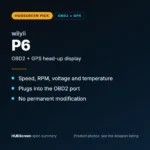 wiiyii P6 OBD2 + GPS Head-Up DisplaySpeed, RPM and temperature from the OBD2 port on compatible 2007+ gas cars.Check Price →
 VIVIHUD HUD-V5 Wireless CarPlay & Android Auto HUDWireless CarPlay and Android Auto directions plus GPS speed.Check Price →
As an Amazon Associate, HUDScreen earns from qualifying purchases. Price, shipping and returns are set by Amazon and the seller.
Frequently asked questions
Why did my GMC or Chevy heads-up display suddenly turn off?
The most common reason is that the brightness control was held down, which dims the HUD all the way to off. Lift and hold the brightness control (left of the steering wheel) or check the HUD setting on the touchscreen. Also check that the image hasn’t been moved out of view and that you aren’t wearing polarized sunglasses.
How do I turn on the heads-up display in my Chevy?
On models with a HUD switch, lift and hold the brightness control. On touchscreen models, go to Settings > Display > Head-Up Display, or Home > Controls > HUD on newer Tahoe, Suburban and Acadia models.
Why is my GM heads-up display tilted?
The rotation setting has been changed. Adjust it in the instrument cluster Options menu (Head-Up Display Rotation) or the touchscreen HUD controls, with the vehicle in Park. GM tells dealers not to replace the HUD for this.
Why is there a double image on my HUD after a windshield replacement?
The new windshield is probably not a HUD windshield. HUD glass has a wedge-shaped inner layer that lines up the reflections; standard glass causes a ghost image. Ask the installer to replace it with glass designed for HUD.
My HUD is blank and none of the controls work. What now?
Restart the vehicle; several GM bulletins note the HUD can return after an ignition cycle. If it keeps happening, see your dealer: on many Cadillac, Camaro and Buick models GM has a documented fix (instrument cluster reprogram and HUD fuse cycle, bulletins 21-NA-127 and 22-NA-113).