

Yes, on the larger Volvos, but not the smaller ones. A factory head-up display is offered on the XC90, XC60, S60, V60, S90 and V90 (including the Cross Country versions), usually as an option or on the top trim, and is standard on the EX90. The XC40, EX40, C40/EC40 and EX30 have never offered one. Polestar offers a HUD on the 3 and 4 (with the Plus pack) but not the Polestar 2.
Volvo models: factory head-up display?
| Model | Factory HUD? | Years / trims (US) |
|---|---|---|
| XC90 | Yes, optional / top trim | From 2016. Advanced Package through 2022; standard on Ultimate (2023–2024) and Ultra (2025+) |
| XC60 | Yes, optional / top trim | From 2018 (2nd generation). Advanced Package, then Ultimate, then Ultra only. The 2010–2017 XC60 had none |
| EX90 (EV) | Yes, standard | 2025+; 13.2-inch HUD |
| S60, V60 | Yes, optional | From 2019. Advanced Package, later the top trim |
| V60 Cross Country | Yes, top trim | 2025 confirmed on Ultra |
| S90 | Yes, optional / top trim | From 2017 |
| V90, V90 Cross Country | Yes, optional / top trim | V90 wagon to 2021 (US); V90 Cross Country Ultimate, then Ultra |
| XC40, XC40 Recharge / EX40 | No | Never offered |
| C40 Recharge / EC40 | No | Never offered |
| EX30 | No | No HUD and no driver display; speed shows on the centre screen |
Polestar models
| Model | Factory HUD? | Notes |
|---|---|---|
| Polestar 2 | No | All years, including the 2024 update |
| Polestar 3 | Yes, with Plus pack | Polestar’s US spec page lists it “with Plus pack” (which requires the Pilot pack) |
| Polestar 4 | Yes, with Plus pack | 14.7-inch HUD with a snow mode; some sites call it standard, but Polestar’s own spec page says Plus pack |
| Polestar 1 | Yes | 2020–2021 |
Based on Volvo and Polestar owner’s manuals and spec pages and Volvo press releases, checked October 2026. Trim names changed in 2025 (Ultimate became Ultra). In the UK, choosing the no-cost heated windscreen on an XC60 or XC90 Ultra replaces the HUD. See also every 2026 car with a factory HUD.
The warning light that isn’t a HUD
Volvos without a HUD still flash an amber or red light onto the windshield for City Safety and Distance Alert warnings, from LEDs on the dashboard. Owners sometimes assume that means the car has a HUD. A real Volvo HUD shows your speed, road signs, navigation and driver-assistance symbols.
How to switch the Volvo HUD on and adjust it
- Older Sensus cars (portrait screen, about 2016–2022): tap the Head-up display button in the centre display’s function view, or go to Settings > My Car > Displays and select Head-Up Display. Choose what it shows under Head-Up Display Options (saved to the driver profile). For brightness and height, tap Head-up display adjustments and use the right-hand steering-wheel buttons. The engine must be running.
- Volvos with Google built-in: press the car symbol in the bottom bar > Settings > Controls > Lights and displays > Displays, press Adjust for the setting, then use the right-hand steering-wheel buttons. Exact wording depends on the car’s software version.
- Polestar 3: car symbol > Settings > Controls > Lights and displays > Adjust head-up display. Polestar 4: vehicle symbol > Interior > Adjust > Head-up display (brightness, position, tilt).
Volvo’s manuals say visibility can be reduced by polarized sunglasses, not sitting centred in the seat, objects on the projector glass and some light conditions. Clean the projector glass with a dry or slightly damp microfibre cloth.
Windshield replacement: “Vehicles with a head-up display have a special type of windshield”, and the correct replacement type must be used. Older Volvos also have a Head-Up Display Calibration setting (Settings > My Car > Displays) to straighten the image afterwards. See our HUD windshield replacement guide.
No factory HUD? Options for your Volvo
- XC40, EX40, C40/EC40, EX30 and Polestar 2 (EVs) and Volvo plug-in hybrids: a GPS head-up display such as the KUOWEIHUD K1 works in any vehicle with a USB port; plug-in OBD2 HUDs usually exclude EVs and hybrids.
- Navigation: the VIVIHUD V5 shows CarPlay or Android Auto directions in any Volvo.
- Gas-only Volvos from 2007 on: an OBD2 unit such as the wiiyii P6 adds engine data; check its listing first.
See also can you add a HUD to any car? and HUDs for electric cars.
As an Amazon Associate, HUDScreen earns from qualifying purchases. Disclosure.
No factory HUD? Add one
These plug-in head-up displays work in cars without a factory HUD. Choose by what your car can supply.
 KUOWEIHUD K1 GPS Head-Up Speed DisplayGPS speed with no OBD2 port needed: fits EVs, hybrids and older cars.Check Price →
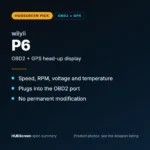 wiiyii P6 OBD2 + GPS Head-Up DisplaySpeed, RPM and temperature from the OBD2 port on compatible 2007+ gas cars.Check Price →
 VIVIHUD HUD-V5 Wireless CarPlay & Android Auto HUDWireless CarPlay and Android Auto directions plus GPS speed.Check Price →
As an Amazon Associate, HUDScreen earns from qualifying purchases. Price, shipping and returns are set by Amazon and the seller.
Frequently asked questions
Does the Volvo XC40 have a heads-up display?
No. The XC40, including the electric XC40 Recharge / EX40, has never offered a factory head-up display. Only the warning light for City Safety reflects on the windshield.
Does the Volvo EX30 have a heads-up display?
No. The EX30 has no HUD and no driver display behind the wheel; speed and other driving information appear on the 12.3-inch centre screen.
Does the Volvo XC60 have a heads-up display?
Yes, from the 2018 second-generation XC60, as an option or on the top trim (Advanced Package, then Ultimate, now Ultra).
Does the Polestar 2 have a heads-up display?
No. Polestar offers a HUD only on the Polestar 3 and Polestar 4, with the Plus pack.
Does the Volvo EX90 have a heads-up display?
Yes, a 13.2-inch head-up display is listed for the EX90, and Volvo UK confirms it as standard even on the entry Plus trim.