
Quick answer: Mazda calls its head-up display the Active Driving Display (ADD). When it goes blank, dim or ends up in the wrong place, check that it’s switched on in Settings, that its light sensor isn’t covered (that makes it dim), and that you aren’t wearing polarized sunglasses. A battery disconnection or a different driver’s memory setting can move the image. Mazda’s own fix for a display that doesn’t work at all is to switch the car off and restart; if it still doesn’t work, see a dealer. Several known faults have dealer fixes.
This guide covers Mazda’s factory display. For a plug-in aftermarket HUD, see the aftermarket HUD troubleshooting guide.
First: which type does your Mazda have?
| Type | What it looks like | Models (US model years) |
|---|---|---|
| Pop-up (“Auto Flip-up Type”) | A small clear panel rises from the top of the instrument hood when you switch on and folds away when you switch off | Mazda3 2014–2018, Mazda6 2016–2017, CX-3 2016–2021, Mazda2 (UK/AU and other markets) |
| Windshield type | The image is projected onto the windshield through a flat “dust-proof sheet” on the dashboard | CX-9 2016–2023 (Mazda’s first), CX-5 2017+, Mazda6 2018–2021, Mazda3 2019+, CX-30, CX-50, CX-90, CX-70, CX-60 (UK/AU) |
Availability depends on trim. In Australia the Mazda3 from 2019 has it as standard; in the US it’s on some models only. (Sources: Mazda newsroom, Mazda owner’s manuals and service bulletins linked below.)
Quick checks
- Is it switched on? The display has its own on/off setting (see below). Traffic Sign Recognition also won’t show if the display is set to off.
- Is the light sensor covered? Mazda’s manual: “If the optical receiver is covered, the display’s luminosity will lower making the display difficult to view.” Remove anything on or near the display.
- Brightness: switch between automatic and manual brightness and raise the level.
- Sunglasses: “Wearing polarized sunglasses will reduce the visibility of the active driving display.”
- Position: adjust Height (and angle/tilt). After the battery has been disconnected or run low, Mazda says the adjusted position may shift.
- Driver memory: the display’s position, brightness and content are saved with the driving-position memory. On the CX-90 and CX-70, the driver-recognition camera also sets the display height, so another driver’s profile (or being recognised as a guest) can put it in the wrong place.
- Restart: switch off and restart the engine. If it still doesn’t work, Mazda says to have the vehicle inspected at a dealer.
How to switch it on and adjust it
Older Mazda Connect (about 2014–2020)
Select the Settings icon on the home screen, then the AD-Disp tab. There you can set brightness (automatic or manual), display height, angle correction (on many models), navigation guidance on/off, the display itself on/off, and reset everything to defaults. (Source: 2017 CX-5 owner’s manual.)
Newer Mazda Connect (2019+ Mazda3, CX-30, 2021+ CX-5, CX-50, CX-90, CX-70)
Select Settings on the Mazda Connect home screen and open the Active Driving Display settings (in the in-vehicle displays section). Options include Height, Auto Brightness, Brightness, Tilt Adjustment (rotation), Active Driving Display Content (this is the on/off switch), individual items such as Navigation Guidance, Traffic Sign Recognition and Speed Limit, and Restore Factory Settings. Exact labels can change with software updates. (Source: Mazda Connect owner’s manual.)
Mazda says to adjust brightness and position only with the vehicle stopped.
Pop-up display problems (2014–2021 Mazda3, Mazda6, CX-3, Mazda2)
- Won’t open or close, or opens by itself while driving: on early 2014–2016 Mazda3, 2016 Mazda6 and 2016 CX-3, voltage fluctuation triggered the panel’s pinch protection. The dealer fix was a replacement unit (TSB 09-008/18). On 2018 CX-3 built before March 2018, a panel that doesn’t flip up was traced to a deformed bracket (TSB 09-033/18).
- Can’t see the image even after adjusting height: if something (gloves, paper) was left in the opening when the panel closed, it can learn the wrong “closed” position. Mazda’s advice: never switch off with objects in that area and never open or close the panel by hand. A dealer can re-teach the position (M-Tip MT-010/17).
- Vibrates or won’t adjust: on 2014–2015 Mazda3 built before July 2014, the panel’s shaft could pop out, especially if it was moved by hand (TSB 09-026/15).
- Fuzzy edges or cracks: some 2015–2016 production had a lens issue fixed by a replacement lens (TSB 09-020/16).
Windshield-type display problems
- Part of the image missing, or a bubble or blotch: on 2017–2024 CX-5 and 2017–2021 Mazda6 with the windshield-type display, moisture inside the display’s LCD can form bubbles. Mazda replaces the unit with a modified one (2025 bulletin).
- Double image or distortion: on 2020–2021 CX-30 built before late August 2021, Mazda traced this to windshield glass distortion or glass with the wrong specification, and replaces the windshield (CX-30 bulletin). The parts list has separate windshields for cars with the display.
- Rattle from the top of the dash: 2019–2020 Mazda3 lens warping from sun heat; a modified cover lens fixes it (TSB 09-010/20).
Missing directions or tachometer
- Navigation guidance on the display needs factory navigation. Mazda’s 2019 CarPlay guide says Apple Maps turn-by-turn guidance is not shown on the Active Driving Display; owners report newer CX-5 models do show phone navigation.
- Mazda Connect software updates fixed missing turn-by-turn guidance on 2014–2016 models (TSB 09-024/16). On the 2016 CX-9, a later update deliberately removed the tachometer from the display.
- Street names may not be shown in every market.
Cleaning the display
- Windshield type: the dust-proof sheet has a coating. Use a fine, soft cloth like an eyeglass cloth, no detergent; Mazda recommends compressed air.
- Pop-up type: the panel and mirror are coated. Use a fine, soft cloth and no detergent; don’t press or force the panel.
Don’t put stickers, drinks or objects on or near the display.
Windshield replacement
Mazda’s bulletins show that cars with the windshield-type display use a specific windshield; the wrong glass can cause a double image. Mazda’s manuals also say to consult a dealer for windshield replacement because the forward camera for driver assistance is mounted there and needs aiming afterwards. When booking a replacement, say the car has the Active Driving Display and ask for the matching glass. If the image is tilted afterwards, use Tilt Adjustment and Height. More in our HUD windshield replacement guide.
No factory display? A plug-in head-up display is an alternative; see factory vs aftermarket HUD and our 2026 factory HUD database.
Repair not worth it? Add a plug-in HUD
If fixing a factory head-up display costs more than it is worth, a plug-in HUD puts your speed back in your line of sight. Check the fit notes before you order.
 KUOWEIHUD K1 GPS Head-Up Speed DisplayGPS speed with no OBD2 port needed: fits EVs, hybrids and older cars.Check Price →
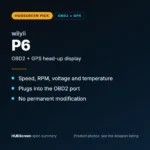 wiiyii P6 OBD2 + GPS Head-Up DisplaySpeed, RPM and temperature from the OBD2 port on compatible 2007+ gas cars.Check Price →
 VIVIHUD HUD-V5 Wireless CarPlay & Android Auto HUDWireless CarPlay and Android Auto directions plus GPS speed.Check Price →
As an Amazon Associate, HUDScreen earns from qualifying purchases. Price, shipping and returns are set by Amazon and the seller.
Frequently asked questions
Why is my Mazda heads-up display not showing?
Check that the Active Driving Display is switched on in Settings, that nothing covers its light sensor, that brightness isn’t too low and that you aren’t wearing polarized sunglasses. If it still doesn’t work after restarting the engine, Mazda says to have it inspected at a dealer.
How do I turn on the heads-up display in my Mazda?
Older Mazda Connect: Settings icon > AD-Disp tab > display on/off. Newer Mazda Connect: Settings > Active Driving Display > Active Driving Display Content.
Why did my Mazda HUD move after a battery change?
Mazda’s manual says the adjusted position may shift if the battery has been disconnected or its voltage is low. Readjust the height and, on newer models, the tilt.
Why won’t the Mazda3 pop-up display open or close?
On early 2014–2016 Mazda3 (and 2016 Mazda6 and CX-3), voltage fluctuation could stop the panel opening or closing. Mazda bulletin 09-008/18 covers a replacement. Never force the panel by hand.
Why is there a bubble or missing part in my CX-5 heads-up display?
On 2017–2024 CX-5 and 2017–2021 Mazda6, moisture in the display’s LCD can form bubbles. Mazda’s fix is a replacement display unit; ask your dealer.